
Most small businesses treat business email like printer paper — a boring commodity you buy in bulk and forget about.
That is a mistake.
Your email infrastructure is the universal identity provider for your entire digital footprint. It is the master key to your SaaS tools, the repository of your client secrets, and the primary vector for security breaches. If you choose the wrong architecture today, you aren’t just risking a few bounced messages. You are signing up for painful migrations, “noisy neighbor” blacklists, and a pricing model that will bleed your margins dry as you scale.
This isn’t a marketing brochure. This is an operator’s guide to the mechanics of email infrastructure. We’re going to look at how the plumbing works, why “free” is dangerous, and how to stop overpaying for features you don’t use.
What “business email” actually means (vs personal)
Professional email isn’t just swapping @gmail.com for @yourcompany.com. It’s a fundamental shift in ownership.
When you use a free service, you are a user. When you pay for business email infrastructure, you are a tenant. That distinction changes everything about your liability and control.
1. You Own the Tenant (and the Exit)
In the consumer world, if Google locks your account, you have zero recourse. You don’t own the identity; they do.
In a proper business setup, you own the domain and the data. If your provider raises prices or degrades service, you can export your mailboxes (via IMAP or .PST), change your MX records, and be up and running on a new host in hours. That portability is your only leverage.
2. The “God Mode” Dashboard
You need centralized command. If an employee goes rogue, loses a laptop, or gets phished, you cannot rely on them to reset their own password. You need an admin panel where you can:
- Revoke active sessions instantly.
- Reset credentials without user input.
- Audit login logs to see if someone in a non-approved country is accessing the CEO’s inbox.
3. Reputation Management
Personal email relies on a shared IP reputation. If you are on a free tier, you are sharing a mail server with spammers and hobbyists. If they burn the IP, your invoices go to the Spam folder.
Professional infrastructure gives you the tools to defend your identity: SPF, DKIM, and DMARC. These aren’t optional acronyms anymore. Since Google and Yahoo tightened their rules in 2024, they are the difference between “Delivered” and “Rejected.”
Hosting vs. Service vs. Provider: The Hierarchy
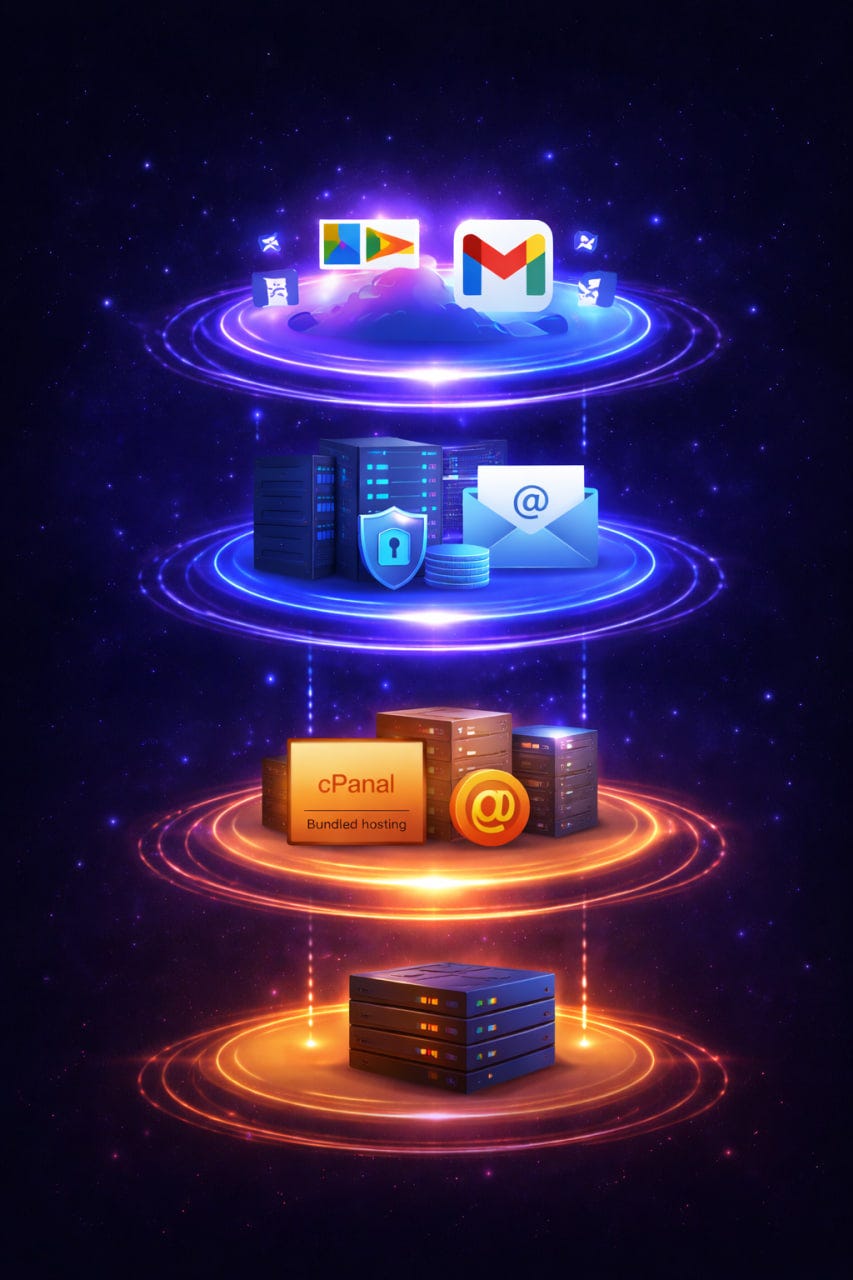
The market is flooded with confusing terms. Let’s cut through the noise. There are really only three ways to host email.
Tier 1: Bundled Hosting (The “Free” Trap)
This is the email that comes free with your domain registrar or web hosting (cPanel/Postfix).
- The Architecture: Your email lives on the same physical server as your website — and often hundreds of other websites.
- When it fits: You are a solo hobbyist with zero budget.
- When it fails: The “Noisy Neighbor” effect. If one compromised WordPress site on that server starts spewing spam, the entire server IP gets blacklisted. Suddenly, you can’t email your clients. Furthermore, if your web server goes down (DDoS or maintenance), your email dies with it.
- The Verdict: Unfit for production business use.
Tier 2: Dedicated Email Infrastructure (The Operator’s Choice)
These are specialized providers (like TrekMail, Rackspace, or Intermedia) that focus solely on email transport and storage.
- The Architecture: Decoupled from your web hosting. Optimized for IMAP/SMTP protocols.
- When it fits: You are an Agency, MSP, or SMB that needs reliable email for 5, 50, or 500 domains but refuses to pay $15/user for “collaboration tools” nobody uses. You want raw utility, high uptime, and flat-rate pricing.
- The Verdict: The sweet spot for cost vs. control. This is where you get features like pooled storage (sharing space across users) rather than paying for empty space in every single mailbox.
Tier 3: Cloud Productivity Suites (The “Ecosystem” Tax)
Microsoft 365 and Google Workspace. Here, email is just a hook to sell you a massive ecosystem of apps, file storage, and device management.
- The Architecture: Email is the core Identity Provider (IdP). It integrates deeply with Teams, SharePoint, and Drive.
- When it fits: Your company lives inside real-time document collaboration. You need to co-author Excel sheets or lock down corporate iPhones with Intune.
- When it fails: The bill. The “per-seat” model is brutal. A 10-person agency pays ~720–1,500/year just for email and docs. If you manage 50 domains for clients, the costs are astronomical.
- The Verdict: Powerful, but often overkill.
Operator Note: Smart agencies use a hybrid model. They keep their core internal team on a Suite (M365) for the tools, but move their high-volume/low-touch client domains to a specialized host like TrekMail (https://trekmail.net). This slashes infrastructure costs by 60–80% without sacrificing deliverability.
What people mean by “best”
Ignore the “Top 10 Email Providers” lists. They are mostly affiliate farms. When you evaluate a provider for business email, you need to audit three technical pillars.
1. The Deliverability Trinity (SPF, DKIM, DMARC)
Does the provider make these easy, or do they hide them?
- SPF (Sender Policy Framework): A DNS list of who is allowed to send email as you.
- DKIM (DomainKeys Identified Mail): A digital signature attached to every email. It proves the message wasn’t tampered with in transit.
- DMARC: The policy that tells receivers (like Gmail) what to do if SPF or DKIM fail.
- The Test: If a provider doesn’t support DKIM rotation or give you clear DNS records to copy-paste, walk away. Without these, you are invisible.
2. The “Click Fatigue” Factor
If you manage one domain, a clunky interface is annoying. If you manage 50, it’s a liability.
Test the admin panel. How many clicks does it take to add an alias? How hard is it to reset a password?
- Bad UX: Login -> Select Domain -> Select User -> Edit -> Security -> Change Password -> Save. (7 steps).
- Good UX: Search User -> Reset Password. (2 steps).
Efficiency matters.
3. Protocol Support (IMAP vs. POP3)
Let’s settle this: POP3 is dead.
Some legacy providers still push POP3, which downloads emails to your device and deletes them from the server. This is a disaster for business. If you lose your laptop, you lose your data.
- The Standard: IMAP (Internet Message Access Protocol). The server is the source of truth. Your phone, laptop, and tablet all see the same view.
- The TrekMail Stance: We don’t even support POP3. It’s an obsolete risk vector. We force IMAP to ensure your data is always backed up on the server, not trapped on a dying hard drive.
SMB Checklist: How to Evaluate a Provider
You are setting up a new domain. Here is your due diligence checklist.
The “Must-Haves”
- IMAP Migration Tool: Can you pull data from your old host (Gmail/cPanel) automatically? If they tell you to “drag and drop in Outlook,” run. You need server-side migration.
- MFA/2FA Enforcement: Can you force all admins to use Two-Factor Authentication? If an admin account is compromised, your entire org is toasted.
- Direct Support: When (not if) a mail delivery issue happens, can you talk to a Tier 2 engineer? Or are you stuck with a chatbot reading a script?
The “Nice-to-Haves”
- Pooled Storage: This is the killer feature for agencies.
- The Problem: In Google Workspace, if one user hits their 30GB limit, you have to upgrade everyone or buy expensive add-ons.
- The Solution: Pooled storage. You get a big bucket (e.g., 200GB) shared across all users. The CEO can use 50GB, the intern can use 1GB, and you pay the same flat rate.
- BYO SMTP: Do you send transactional emails (invoices, alerts)? You shouldn’t send those through your primary business mailbox IP. Look for a provider that lets you plug in Amazon SES, SendGrid, or Mailgun for outbound delivery while keeping your inbox for human mail.
The “Red Flags”
- “Unlimited” Storage: There is no such thing as unlimited. This usually means “unlimited until you hit 100,000 files,” at which point the server silently stops accepting new mail.
- Proprietary Export Formats: If they only let you export data in a format only they can read, you are in a data jail. Standard formats are .EML or .MBOX.
Common SMB Mistakes When Picking
I’ve cleaned up the messes of hundreds of businesses who chose wrong. Here are the most expensive mistakes.
1. The “Cheap Now, Expensive Later” Trap
Registrars love to hook you with “Email Essentials for $1.99/mo.”
- The Reality: That price is for the first year. Renewal often jumps to $8.99/mo.
- The Upsell: They strip out basic security features and sell them back to you as “Advanced Security” add-ons. Suddenly, your $2 mailbox costs $12.
2. The Microsoft NCE Handcuffs
Microsoft’s “New Commerce Experience” (NCE) has changed the game.
- If you want the flexibility to cancel anytime, you pay a ~20% premium.
- If you commit to an annual term to save money, you are legally on the hook for the full year. Even if you fire 5 employees, you still pay for their seats until the contract ends.
- The Fix: Don’t over-commit licenses. Or, use a flexible host for your fluctuating headcount.
3. Forwarding Breaks DMARC
This is the most common technical error I see.
- Scenario: You set up info@yourbusiness.com and forward it to your personal coolguy88@gmail.com.
- The Failure: When a customer emails your business address, your server forwards it to Gmail. Gmail sees the email coming from your server IP, but the “From” address says “Customer.” This fails SPF checks. Gmail thinks you are spoofing the customer and dumps the message in Spam.
- The Fix: Stop forwarding. Use an email client (Outlook, Thunderbird, Mobile App) to check the account directly via IMAP.
4. The Storage Cliff
Google Workspace Starter gives you 30GB per user. That sounds like a lot until you realize it counts Google Drive and Photos, too.
Once you hit that limit, your email stops working. You can’t receive a single byte. Your only option is to upgrade to the “Business Standard” plan, which doubles your cost instantly.
- Operator Tip: This is why we built TrekMail with a flat-rate, pooled model. We don’t believe you should double your bill just because one user has a heavy inbox.
Next Step: Build Your Infrastructure
Choosing a provider is about matching architecture to business needs.
If you need a full “digital office” with real-time document editing and don’t mind the per-user cost, the big suites (M365/GWS) are the industry standard for a reason. They are excellent products, but they are expensive infrastructure.
If you are an Agency, MSP, or SMB that values control, privacy, and margins, you should look at the dedicated infrastructure tier.
TrekMail is the operator’s choice. We stripped out the bloat, banned POP3, and built a platform focused entirely on reliable, high-control email hosting. We replace the expensive per-seat model with a flat-rate system designed for professionals who manage multiple domains.
Ready to stop paying per-user fees?
Get your domains ready: https://trekmail.net
Comments
Post a Comment