You just bought the domain. You have the logo. Now you need the email address.
But when you look at the pricing for Google Workspace or Microsoft 365, the math hurts. $6 to $12 per user, per month? For a team of five, that’s nearly $700 a year just to send text across the internet.
Naturally, you search for free business email with domain.
It exists. You can absolutely set up professional email without a monthly subscription. But in the infrastructure world, “free” is a dangerous price point. You are never actually getting a free product; you are acting as the beta tester, the data source, or the tenant on a server so crowded that your legitimate emails will likely end up in your client’s spam folder.
This isn’t a sales pitch telling you to buy expensive software. It’s a technical reality check.
I’ve managed email infrastructure for thousands of domains. I’ve seen founders lose five-figure contracts because their “free” email forwarding broke SPF alignment. I’ve seen agencies spend weeks migrating 50 clients off a “forever free” tier that suddenly changed its terms.
Here is the operational truth about free email, where it breaks, and how to build a stack that doesn’t bleed cash.
What “Free” Actually Is
When a provider offers you free business email with domain, they aren’t doing it out of charity. They are usually restricting the architecture in one of four specific ways to force a painful upgrade later.
If you don’t understand which model you are signing up for, you are walking into a trap.
1. The “Trojan Horse” Trial (Google/Microsoft)
This is the most common and the most dangerous for your budget. You get the full suite — Exchange Online, Gmail, Drive, Teams — for 14 to 30 days.
- The Hook: It works perfectly. The deliverability is elite. The UI is familiar.
- The Trap: Once the trial ends, your data is held hostage. You cannot downgrade to a “lite” version. You either pay the full per-seat rack rate (often with a 20% markup for monthly billing) or you lose access to your email history.
- For Agencies: If you put a client on this, you are locking them into a price hike they might not afford. When the bill comes, they will blame you.
2. The Forwarding-Only Alias
This isn’t a mailbox. It’s a rule. You register contact@yourdomain.com at your registrar (like Namecheap or Cloudflare) and tell it to forward everything to coolguy88@gmail.com.
- The Hook: It’s usually free with the domain. Zero setup time.
- The Trap: You can receive mail, but you can’t reply as the business. If you reply from your personal Gmail, the client sees coolguy88@gmail.com, which looks amateur.
- The Technical Failure: If you try to “spoof” your business address using Gmail’s “Send As” feature without a proper SMTP relay, your emails will fail DMARC checks and go straight to spam. (More on this later).
3. Bundled Web Hosting (cPanel/Postfix)
This is the “classic” way. You buy website hosting (Bluehost, SiteGround, etc.), and they throw in “unlimited email accounts.”
- The Hook: It feels like a bargain. One bill for website and email.
- The Trap: These emails live on the same physical server as your website — and thousands of other websites.
- The “Noisy Neighbor” Risk: If one hacked WordPress site on that server starts spewing spam, the entire server’s IP address gets blacklisted. Suddenly, your invoices are blocked by Outlook and Gmail because a stranger’s site got infected.
- Single Point of Failure: If your web server goes down for maintenance, your email stops working.
4. The “Forever Free” Tier (Zoho/Proton)
A legitimate, hosted mailbox with severe feature gating.
- The Hook: It’s a real mailbox, hosted separately from your website. Secure and private.
- The Trap: They disable the protocols you actually need. For example, Zoho Mail’s free plan famously disables POP and IMAP.
- What This Means: You cannot add your email to the Mail app on your iPhone. You cannot use Outlook on your desktop. You are forced to use their proprietary app or web browser forever. If you want to check email on your phone’s native app, you have to pay.
The Hidden Technical Debt of Free Business Email With Domain
“Technical debt” is what happens when you take a shortcut now that costs you 10x to fix later. Free email is pure technical debt.
1. The IP Reputation Lottery
Email delivery relies on trust. When a server receives an email, it checks the reputation of the IP address sending it.
- Paid Providers (Google/Microsoft/TrekMail): We aggressively police our IPs. If a user spams, we ban them instantly to protect the reputation for everyone else.
- Free Providers: They have less incentive (and budget) to police their networks. Spammers flock to free tiers.
- The Result: You are sending mail from a “dirty” IP. You might write the perfect proposal, but if your IP neighbor is selling counterfeit Rolexes, your email is guilty by association.
2. The Protocol Void (IMAP vs. POP3)
Most free tiers restrict how you access your data.
- POP3: Downloads email to one device and often deletes it from the server. If you lose your phone, you lose your email.
- IMAP: Syncs email across devices. The server is the “source of truth.”
- The Free Tier Reality: Many free providers block IMAP to save on server load. They force you into a web interface. This destroys your workflow. You can’t offline cache your mail. You can’t backup your mail easily. You are trapped in their browser tab.
3. The Support Vacuum
Email breaks. DNS records propagate slowly. Passwords get lost.
On a free tier, you are not a customer; you are a user. There is no phone number. There is no chat support. There is only a community forum where you can post your plea and hope a stranger answers.
- For SMBs: Can you afford to be offline for 48 hours while waiting for a forum reply?
- For MSPs: If your client’s email is down, you are the support. If you can’t escalate to the vendor, you look incompetent.
Deliverability: Why Your “Free” Emails Hit Spam
This is the part most “free email” guides skip. They tell you how to set it up, but they don’t tell you why your emails never arrive.
Modern email runs on a “Trinity” of authentication: SPF, DKIM, and DMARC.
The Forwarding Failure
When you use a free forwarding alias (Type 2 above), you break this chain.
- Sender sends an email to you@business.com.
- Your Registrar receives it and forwards it to you@gmail.com.
- Gmail sees an email claiming to be from Sender, but it was delivered by Your Registrar.
- SPF Fail: Gmail checks Sender’s SPF record. It does not list Your Registrar as an authorized sender.
- Result: Gmail marks the email as suspicious or rejects it entirely.
The “Send As” Failure
If you try to reply from Gmail using your business address (you@business.com):
- You must configure an external SMTP server.
- Free forwarding services do not provide SMTP.
- So, you send it via Gmail’s servers.
- DMARC Fail: The email says From: business.com, but it was signed by gmail.com. The domains do not align.
- Result: Your client sees a big red question mark or a “Be careful with this message” warning.
The Verdict: You cannot run a professional operation on forwarding alone in 2025. The security protocols are too strict.
When Free Is Actually OK
I’m not saying you must pay today. There are specific scenarios where free business email with domain is the correct tactical choice.
Use Free Email If:
- It’s a Burner Project: You are testing an idea. If it fails in 3 months, who cares?
- Inbound Only: You need an address to sign up for SaaS tools or receive invoices, but you never reply to humans from it.
- You Are a Solo Dev: You understand DNS, you can read mail headers, and you don’t mind using a web interface.
Do NOT Use Free Email If:
- You Have Employees: Managing credentials on personal free accounts is a security nightmare. You have no way to reset their password if they quit.
- You Send Invoices: If your invoice lands in Spam, you don’t get paid.
- You Are an Agency: Putting a client on a free tier is malpractice. When it breaks (and it will), they will blame you, not the provider.
The “Per-User” Tax vs. The Infrastructure Model
This is where the industry has tricked us.
For a decade, we’ve been told that “Business Email” equals “Google Workspace” or “Microsoft 365.”
Those are incredible suites. I use them. But they are Productivity Suites, not just email hosts.
- You pay for Docs, Sheets, Teams, SharePoint, and 50 other apps.
- If you just need name@company.com, you are paying a “tax” for features you don’t use.
The Math of Scale
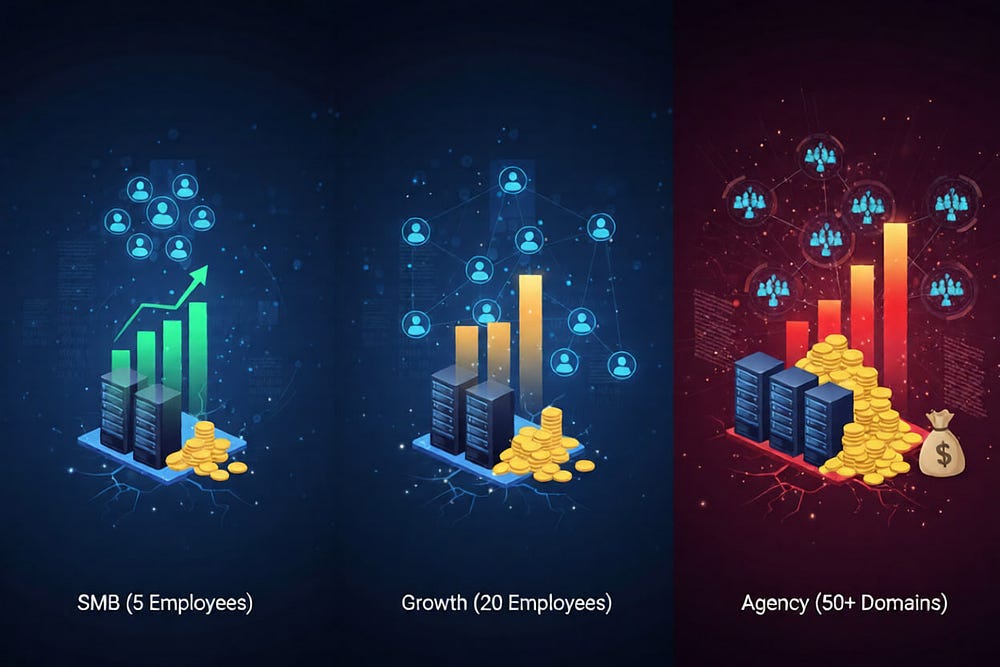
Scenario A (SMB): You have 5 employees.
- Google Workspace: (7.20/mo) — 432/year.
- That’s manageable.
Scenario B (Growth): You have 20 employees (some part-time, some contractors).
- Google Workspace: $1,728/year.
- Now it hurts.
Scenario C (Agency): You manage 50 domains for clients.
- Google Workspace: Thousands per month.
- Your margin is zero. You are just a reseller collecting money for Google.
The TrekMail Alternative
We built TrekMail for the “Operators” — the people who did the math.
Instead of charging per user, we charge for the infrastructure.
- Flat Rate: You pay for the domain hosting.
- Pooled Storage: If you have 15GB of storage, you can split it across 5 users or 50 users. It doesn’t matter to us.
- BYO SMTP: For the ultimate control, you can plug in Amazon SES or Mailgun for outbound delivery. This gives you enterprise-grade deliverability for pennies, without the per-seat markup.
It’s professional email, stripped of the bloat, priced like infrastructure rather than software.
Safe “Minimum Paid” Checklist
If you decide that “free” is too risky, but $12/user is too high, you need a middle ground.
When shopping for a dedicated email host, use this checklist. If a provider fails any of these, walk away.
- IMAP Support: Mandatory. Do not accept POP3-only or Webmail-only. You need sync.
- Standard Protocols: Can you connect it to Outlook, Apple Mail, and Thunderbird? If they require a proprietary app, it’s a trap.
- Migration Tools: Do they have a button to pull your old emails from Gmail/cPanel? If you have to move email manually, you will lose data.
- Security Defaults:
- Enforced TLS (encryption in transit).
- 2FA for the admin panel (non-negotiable).
- Automated DNS checks (alerts you if SPF breaks).
5. Separate Storage: Ensure email storage is separate from file storage. You don’t want your email to stop working because you uploaded a big PDF.
Troubleshooting Your “Free” Setup
If you are stuck on a free tier or a bundled cPanel host for now, here is how to minimize the damage.
1. Fix Your SPF Record
Most bundled hosts set this up wrong.
- Bad: v=spf1 a mx ?all (This tells receivers “maybe trust this, maybe not”).
- Good: v=spf1 include:server.hosting.com ~all (Explicitly authorizes the host).
- Action: Log into your DNS and check your TXT records. If you see multiple SPF records, delete them. You can only have one.
2. Warm Up Your IP
If you just set up a new domain on a shared host, do not send 500 emails on Day 1.
- Week 1: Send 10–20 manual emails a day to people who will reply.
- Why: Replies signal to Google/Microsoft that you are a human, not a bot.
- Warning: If you blast a mailing list immediately, you will burn the domain reputation instantly.
3. Monitor Blacklists
Use a tool like MXToolbox to check your domain weekly. If your shared IP gets blacklisted, open a ticket with your host immediately. (This is why we prefer dedicated or tightly managed IPs — you aren’t at the mercy of your neighbors).
Conclusion
Searching for free business email with domain is a rite of passage. We’ve all done it. We’ve all tried to hack together a forwarding alias or squeeze a team onto a free tier.
But eventually, the physics of email catch up with you.
- The “noisy neighbor” gets you blacklisted.
- The lack of IMAP breaks your mobile workflow.
- The per-user pricing of the big suites eats your budget as you scale.
There is a third path. You don’t have to choose between “unreliable free” and “expensive enterprise.” You can choose infrastructure.
If you are ready to own your email without renting your identity from Big Tech, it’s time to look at the architecture, not just the price tag.
- For a deep dive on selecting the right architecture, read our guide on Email Hosting for Small Business: How to Choose Business Email Hosting That Won’t Break Later.
- Ready to stop paying per user? Check out TrekMail for flat-rate professional hosting.
Comments
Post a Comment