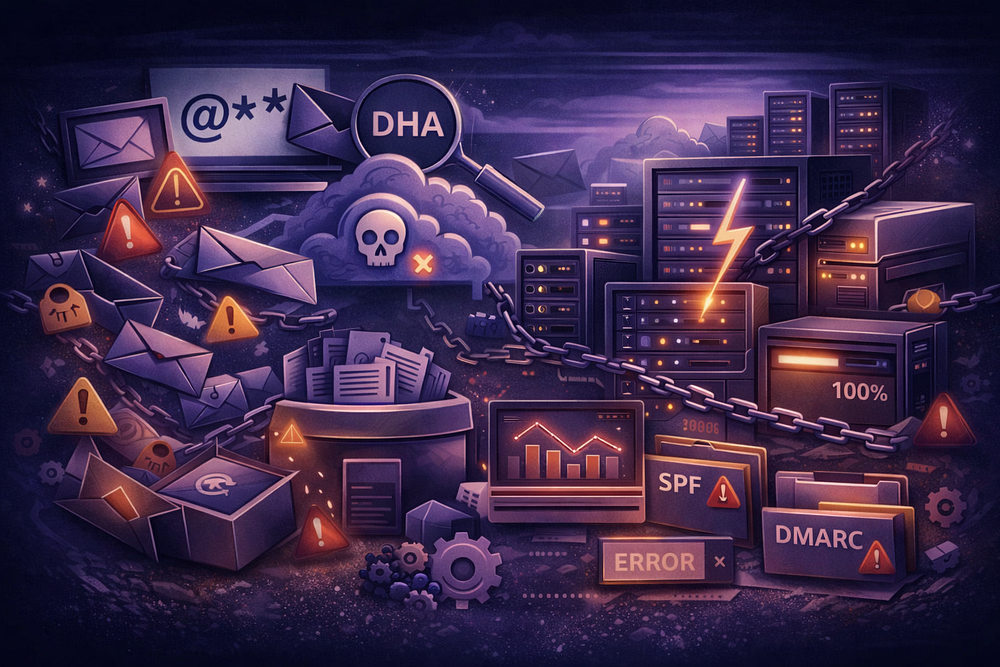
Enabling a catch-all (wildcard) address changes your mail server’s fundamental logic from “deny by default” to “allow by default.” In 2026, this is not just a convenience feature; it is a denial-of-service vector.
When you accept every RCPT TO command, you bypass the most efficient layer of spam defense: the edge rejection. Instead of blocking invalid users with a 550 User Unknown error, your server accepts the payload (code 250 OK), processes the data, and stores it. This invites Directory Harvest Attacks (DHA), backscatter reputation damage, and storage exhaustion.
If you must run a catch-all — whether for legacy routing or lead capture — your hosting provider must meet specific technical criteria. Most budget hosts and “black box” suites (like Google Workspace or Microsoft 365) fail these checks by default.
Here is the technical checklist to validate your provider before flipping the switch.
1. Real-Time SMTP Log Access (No “Black Boxes”)
When a catch-all is active, you lose the “bounce” signal. If a client says, “I sent it to sales@ but you didn’t reply,” and sales@ is a catch-all alias, you cannot rely on a generic dashboard. You need raw SMTP logs to determine if the message was rejected by a spam filter, quarantined, or silently dropped.
The Requirement:
Your host must provide access to logs that show the specific SMTP handshake and filter results. You need visibility equivalent to a Linux maillog grep:
# What you need to see:
Jan 03 10:14:22 mail postfix/smtpd: connect from mail-protection.outlook.com[40.107.100.99]
Jan 03 10:14:23 mail postfix/cleanup: message-id=<20260103.ABC@outlook.com>
Jan 03 10:14:23 mail postfix/qmgr: from=<client@outlook.com>, size=15032, nrcpt=1 (queue active)
Jan 03 10:14:24 mail amavis: Passed CLEAN {RelayedInbound}, [40.107.100.99] <client@outlook.com> -> <catchall@yourdomain.com>, Hit: -1.5
The Failure Mode:
If your provider requires you to open a support ticket to see why an email failed, they are not suitable for catch-all hosting. The delay will cost you business.
2. Transparent Rate Limiting (The “Noisy Neighbor” Trap)
Catch-all domains are magnets for volume attacks. Attackers will blast thousands of messages to random prefixes (admin@, invoice@, david@) to test for valid recipients.
The Requirement:
You need a provider with published, high-volume rate limits that apply to the connection, not the account.
- Google Workspace: Limits receiving to ~60 messages/minute per user. A moderate DHA will trigger a suspension, locking you out of your account.
- Microsoft 365: Often throttles based on “High Risk Delivery Pools” (HRDP).
The Check:
Ask your provider: “If my catch-all receives 10,000 messages in an hour due to a DHA, do you suspend my domain or just throttle the spam source?” If the answer is “suspend,” do not use them.
3. Outbound Identity & “Send As” Flexibility
The utility of a catch-all is receiving as many identities (billing@, support@). The pain is replying.
- The Problem: In Gmail or Outlook, replying as billing@ when your primary account is admin@ requires setting up an alias, verifying it via email code, and often configuring a separate “Send As” identity.
- The Requirement: Your host should support dynamic identity creation or unlimited aliases without a verification loop. You should be able to spin up project-x@yourdomain.com instantly and reply as that user via your mail client.
4. Forwarding Protocol Support (SRS & ARC)
This is the most common technical failure in 2026. If you host a catch-all on Server A and forward it to Gmail/Outlook, you are breaking the chain of custody.
- SPF Failure: The final receiver sees the forwarder’s IP, not the original sender’s.
- DMARC Failure: If the forwarder modifies the body (breaking DKIM) and SPF fails, DMARC p=reject policies will delete the email.
The Requirement:
Your provider MUST support:
- SRS (Sender Rewriting Scheme): Rewrites the Envelope-From to pass SPF.
- ARC (Authenticated Received Chain): Signs the message headers to preserve authentication results across hops.
The Evidence:
If your provider does not support ARC, you will eventually see these error codes from Microsoft 365 or Google:
- 550 5.7.520 Access denied, your organization does not allow external forwarding.
- 550 5.7.1 Unauthenticated email from domain.com is not accepted due to domain’s DMARC policy.
For a detailed breakdown of these protocols, read Catch-All Email: Why It Looks Simple — and Why It Becomes an Ops Problem (2026).
5. Data Portability (No Proprietary Lock-in)
Catch-all mailboxes grow fast. If you accumulate 50GB of data and need to migrate, you cannot rely on a web scraper.
The Requirement:
- Standard Protocols: The host must support IMAP. Do not accept “Webmail Only” or proprietary API access.
- Export Tools: Ability to export to standard formats (.eml or .mbox).
The TrekMail Approach: Fix the Pricing, Not the Protocol
Most businesses enable catch-alls to avoid the “Per-User Tax.” They don’t want to pay Google $72/year just to have a jobs@ address that receives three emails a month.
TrekMail eliminates this financial pressure, making the catch-all unnecessary for 90% of use cases.
- Flat-Rate Pricing: We charge per domain, not per user. You can create 50 legitimate, separate mailboxes (e.g., sales@, support@, jobs@) for the same flat price.
- Pooled Storage: Storage is shared across the domain. Your jobs@ account can use 100MB while your admin@ uses 10GB. No wasted resources.
- Professional Infrastructure:
- IMAP/SMTP Only: We focus purely on email delivery. No bloat.
- BYO SMTP: For ultimate control, connect your own Amazon SES or SendGrid account for outbound delivery. This bypasses standard shared-IP reputation issues entirely.
- Built-in Migration: Pull your existing data via IMAP instantly.
The Verdict:
If you need a catch-all, TrekMail supports it with the logging and stability you need. But with our model, you probably won’t need one at all.
Comments
Post a Comment