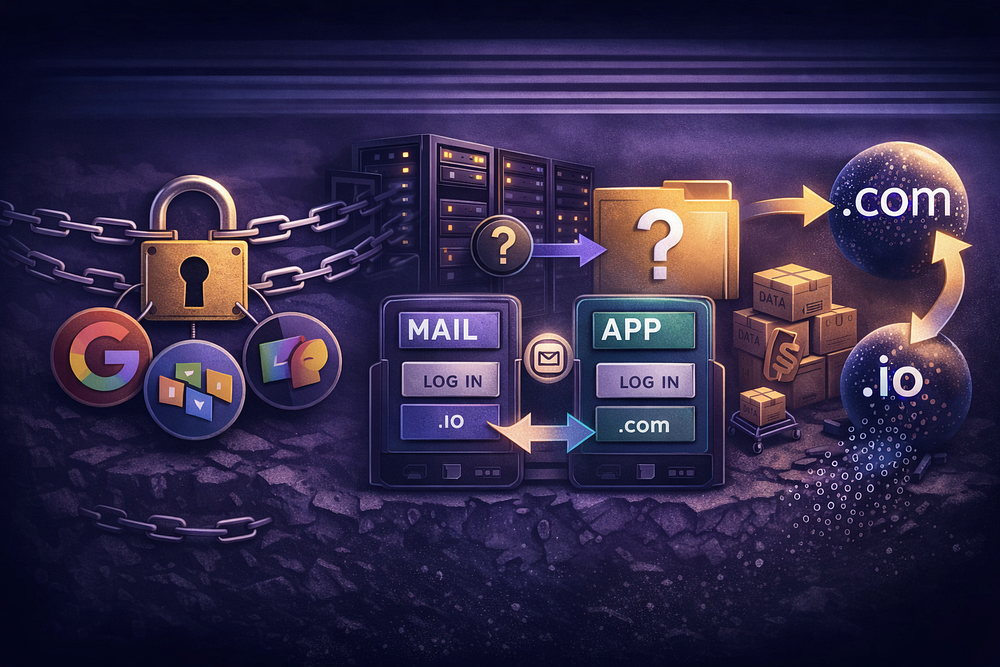
For the last decade, the playbook for starting a business was automatic: buy a domain, sign up for Google Workspace, and pay the monthly fee. It was the “safe” choice. But as 2026 approaches, that default setting has become a liability.
Operators are actively hunting for Google Workspace alternatives — not just because the price keeps climbing, but because the “all-in-one” suite has morphed into a golden handcuff.
Whether you are a founder spinning up your first domain or an MSP managing 500 clients, the friction is the same. You are paying a “per-user tax” for features you don’t use. You are forced into a storage model that strands capacity where it’s least needed. And worst of all, you don’t truly own your data — you rent access to it in proprietary formats that break the moment you try to leave.
This isn’t another generic “Top 10” list filled with affiliate links and 5-star ratings. This is an operational framework for choosing an email infrastructure that scales with your margins, not your headcount.
Why “Alternatives” Are Suddenly Critical
Most articles tell you people switch to save money. That’s only half the story. The real migration triggers are operational.
1. The Per-User Tax
Paying $6–18 per user/month makes sense for your core team of knowledge workers who live in Docs and Meet. It makes zero sense for:
- Frontline staff: The warehouse employee who just needs to receive shift updates.
- Contractors: Temporary access that shouldn’t cost a full license.
- Service Accounts: info@, support@, or billing@ mailboxes that need to be separate logins but rarely send mail.
For an agency managing 50 domains, this per-seat pricing destroys profit margins. You end up paying thousands a year for “users” that are actually just glorified forwarding addresses.
2. The “Day 2” Governance Gap
Google Workspace is easy to set up (“Day 1”). It is often a nightmare to manage at scale (“Day 2”).
- Storage Opacity: You cannot easily see which specific files are eating your pooled storage without third-party tools.
- Retention Limits: If you are in a regulated industry, you need indefinite audit logs. Google gates this behind higher-tier “Vault” pricing.
- Support Black Holes: When a legitimate email gets flagged as spam by Google’s automated filters, good luck getting a human on the phone to whitelist your IP.
The Framework: Requirements First, Features Second
Stop comparing feature lists. Every provider claims to have “Email, Calendar, and Contacts.” That tells you nothing about how the system behaves under load.
To choose the right Google Workspace alternatives, you must audit your actual usage against three layers: Functional Requirements, Operational Constraints, and Migration Risk.
Layer 1: Functional Requirements (The “Must-Haves”)
If a platform fails here, disqualify it immediately. Do not pass go.
- Protocol Support: Do you need ActiveSync for perfect mobile mirroring of contacts/calendars? Or is standard IMAP/SMTP sufficient? (Note: Many “secure” providers break standard IMAP).
- Identity Management: Do you need SSO? If you use Okta or Azure AD to manage logins, a provider that demands separate credentials is a security risk.
- Proprietary Dependencies: Does your workflow rely on Google Apps Script, Google Forms, or live co-authoring in Sheets? Warning: No alternative imports Google Forms. You will have to rebuild them from scratch.
Layer 2: Operational Constraints (The Ceiling)
- Storage Architecture: Do you need Pooled Storage (e.g., 1TB shared across 50 users) or Split Storage (e.g., 100GB per user)?
- The Trap: Microsoft 365 splits storage. A user with a full 100GB mailbox cannot “borrow” space from their 1TB OneDrive.
- Audit Longevity: How long are logs kept?
- Google Vault: Indefinite.
- Lark: 180 days max.
- Zoho: Default 365 days.
Layer 3: Migration Risk (The Switch)
- Fidelity Loss: Moving from Google Docs to Word is never 100% perfect. Comments get stripped. Revision history vanishes. Formatting breaks.
- Downtime Tolerance: Can you afford a 4-hour DNS propagation window? Or do you need a complex “dual delivery” setup where mail hits both servers during the transition?
The Contenders: An Honest Breakdown

We’ve categorized the market into three distinct architectures. Choose the one that fits your business model.
1. The “Suite” Replacer: Microsoft 365
Best For: Enterprises, Regulated Industries, Excel Power Users.
If your business runs on spreadsheets and you need a 1:1 replacement for the “Office Suite,” Microsoft is the only serious contender. It is the industry standard for a reason.
The Good:
- Desktop Power: Excel and Word on desktop blow Google Sheets/Docs out of the water for heavy data processing.
- Device Control: Microsoft Intune offers granular control over Windows and iOS devices that Google Endpoint Management struggles to match.
The Bad (The “Gotchas”):
- Split Storage: As mentioned, your email storage (Exchange) and file storage (OneDrive) are separate buckets. You cannot merge them.
- The “GPO Blind Spot”: If you use Intune for device limits, be aware that devices enrolled via Group Policy (GPO) or hybrid Azure AD join often bypass Intune’s device caps. This is a common security hole.
- Migration Friction: Microsoft SharePoint has a 400-character file path limit and blocks specific characters (* : < > ? / \ |) that Google allows. If your team uses deep folder structures or creative filenames, migration will fail unless you rename thousands of files.
2. The “Value” Leader: Zoho Workplace
Best For: SMBs, Bootstrapped Startups, Cost-Conscious Teams.
Zoho is the most aggressive competitor on price, often undercutting Google by 50–70%. Their suite is surprisingly robust, but it has hard ceilings that “Pro” users hit quickly.
The Good:
- Price: Hard to beat $1–3/user.
- Ecosystem: If you use Zoho CRM or Books, the integration is seamless.
The Bad (The “Gotchas”):
- The 50GB Export Cap: If you get sued and need to export data for eDiscovery, Zoho caps exports at 50GB. You have to segment your data manually. This introduces procedural risk in legal scenarios.
- OCR Limits: Google indexes the text inside images (OCR) automatically. Zoho’s search is less capable here, meaning image-heavy PDFs might become unsearchable “dark data.”
- The “Lift and Shift” Myth: Zoho explicitly skips vnd.google-apps.form (Google Forms) and vnd.google-apps.site (Google Sites) during migration. You must recreate these manually.
3. The “Pure Email” Operator: TrekMail
Best For: Agencies, MSPs, Privacy-Conscious SMBs, “Best-of-Breed” Stacks.
This is where we fit. Many operators realize they don’t actually need a “Suite.” They use Notion for docs, Slack for chat, and Zoom for calls. They just need professional email (team@company.com) that works, without paying for a bunch of bloatware they ignore.
The Good:
- Flat-Rate Pricing: We charge by the domain/storage, not the user. Have 50 users? You don’t pay 50 licenses. You pay one flat fee. This is a massive margin unlock for agencies.
- True Pooled Storage: We don’t care if one user uses 1GB and another uses 99GB. The storage pool is shared across the entire domain.
- BYO SMTP: For technical operators, we allow you to connect your own Amazon SES, Mailgun, or SendGrid account for outbound delivery. This gives you absolute control over your IP reputation and deliverability — something neither Google nor Microsoft allows.
The Bad (The “Gotchas”):
- Email Only: We do not offer a document editor, video conferencing, or a social network. We do one thing: email infrastructure.
- No POP3: We support IMAP and SMTP. POP3 is an outdated protocol that causes data sync issues, so we killed it.
The Niche Players: Privacy & Superapps
If the Big Three don’t fit, you might be looking at the specialized tier. Be careful — these come with significant workflow changes.
Proton (The Privacy Silo)
Proton is excellent for journalists, activists, and high-threat models. But privacy has a “Collaboration Tax.”
- The Friction: You cannot “live edit” a document with a colleague in real-time the way you do in Google Docs. The encryption architecture requires files to be decrypted locally.
- The Lock-In: Proton Docs (beta) uses a proprietary format. Converting .docx files often results in “two truths” — the original Word doc and the new Proton doc.
Lark (The Superapp)
Lark is huge in Asia and growing in the West. It combines email, chat, and docs into one interface (like Slack + Google Workspace combined).
- The Friction: It is a “walled garden.” If you move your team to Lark, you are moving them into a proprietary ecosystem that is very hard to export data from later.
- The Risk: Audit logs are only searchable for the last 180 days. For many US businesses, this is a compliance disqualifier.
Synology (The On-Prem Hybrid)
For those who want to own the hardware (NAS).
- The Friction: Synology Office uses proprietary .osheet and .odoc formats. To share a file with a client, you must export it to Excel/Word. If the client edits it and sends it back, you must re-import and convert it. This “conversion loop” destroys version control.
Migration Forensics: What Actually Breaks?
Marketing pages say “One-Click Migration.” The reality is “One-Click, Then Three Weeks of Cleanup.” Here is the forensic truth of what happens when you leave Google Workspace.
1. The “Google Form” Black Hole
Status: Total Loss.
No standard migration tool (IMAP sync, BitTitan, etc.) can migrate Google Forms. They are not files; they are database entries in Google’s proprietary system.
- The Fix: You must manually export response data to CSV and rebuild the form logic in your new tool (Typeform, Microsoft Forms, etc.) before you cut over.
2. Permission Amnesia
When you migrate Drive files to OneDrive or Dropbox, the “Shared with Me” links break.
- The Reality: Permissions are mapped based on email addresses. If you change your domain or if the new system doesn’t support the exact same “Viewer/Commenter/Editor” granularity, those permissions reset.
- The Fix: Audit your external sharing links. You will likely need to re-share sensitive folders manually after migration.
3. The “Large Doc” Block
Zoho and several other providers have hard limits on importing Google-native files larger than 10MB.
- The Reality: If your finance team has a massive Google Sheet with 5 years of data, the migration tool might skip it silently.
- The Fix: Convert large Google Sheets to .xlsx format inside Google Drive before migration to check for formatting breakage.
Decision Guide: Which Architecture Fits You?
Use this logic to make your final call.
Scenario A: The “Excel or Die” Shop
- You need: Deep integration with desktop Office apps.
- You are: A law firm, accounting firm, or enterprise.
- Verdict: Microsoft 365. Swallow the cost and the admin complexity. It’s the standard for a reason.
Scenario B: The “Lean & Mean” Operator
- You need: Professional email, low costs, and the freedom to use whatever tools you want (Notion, Slack, etc.).
- You are: A digital agency, a SaaS startup, or an MSP managing 50+ client domains.
- Verdict: TrekMail.
- Why: You stop paying for shelfware. You get a flat monthly bill regardless of how many users you add. You get pooled storage that adapts to your team’s usage.
- The Play: Move email to TrekMail. Move docs to a dedicated tool. Save 60–80% on your annual spend.
Scenario C: The “Budget” All-in-One
- You need: A suite (email + docs) but can’t afford Google/Microsoft prices.
- You are: A non-profit or a bootstrapped local business.
- Verdict: Zoho Workplace.
- Why: It’s the closest functional clone to Google Workspace for a fraction of the price. Just be aware of the export limits and support delays.
Conclusion: Don’t Just Switch, Upgrade Your Model
Leaving Google Workspace is annoying. It involves DNS changes, data migration, and user training. If you are going to go through that pain, make sure you aren’t just trading one landlord for another.
The best Google Workspace alternatives don’t just offer a lower price tag; they offer a better operational model.
- Test for Lock-In: Can you export your data in standard formats (.eml, .docx, .csv) without API throttling?
- Test for Support: Send a support ticket before you buy. See how long it takes to get a human answer.
- Test for Scale: What happens to your bill if you add 10 users tomorrow?
If you are ready to decouple your email from the “Suite” tax and regain control over your infrastructure, TrekMail is built for you.
Learn More: Business Email for Small Business: What It Is, Why It Matters, and How to Choose a Provider (2026).
Comments
Post a Comment